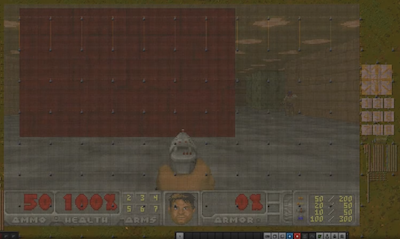
factorio doom.
Doom running in unmodded factorio using lamps and the circuit network.
Doom running in unmodded factorio using lamps and the circuit network.
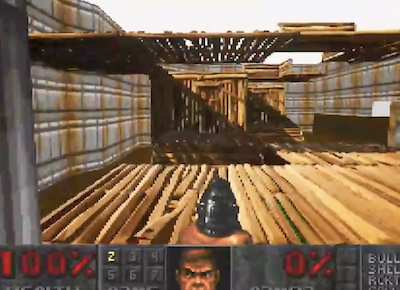
A recreation of classic Doom inside Fortnite, built using Unreal Editor for Fortnite (UEFN). The demonstration combines Doom-style visuals with Fortnite’s building mechanics. Created as a learning exercise, the project recreates Doom’s appearance within Fortnite’s engine rather than running the original Doom engine.
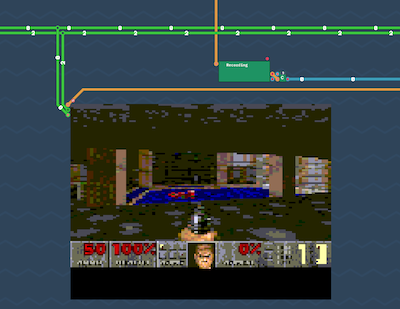
Doom is compiled without using the C standard library or any header files, relying solely on compiler built-ins and manually defined interfaces. The project demonstrates an extreme minimalist approach to building a fully functional Doom executable while eliminating traditional C dependencies.
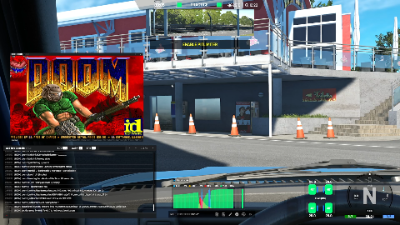
Although Kunos hasn't officially released modding support for UI apps yet, I started digging around to see if I can get something working myself, primarily because I really wanted some form of pedal telemetry while driving because that helps me a lot. After some excavations, I discovered that EVO's UI is primarly driven via JavaScript so once I knew that, I started trying to write my own pedal graph widget and when I added it to the hud.html of the game and packed it to kspkg and placed in the mods folder, it worked! And that's the pedal graph you see at the bottom-center of the screen (in the video it's running with a demo 'attract' option so you can see it working automatically because I'm not on my rig atm). Some issues arose when I tried adding multiple ui apps because I discovered that only one mod can overwrite the hud.html and that's a no-go for multiple apps to run together. Because of this, I had to roll my own custom ui mod loader which acts as the single ui mod loaded in the game which then itself can handle multiple JavaScript apps running at the same time. Anyways, once I wrote both the pedal graph app and then a dev console app, I decided to push further and try the de-facto standard: DOOM. I found a webassembly version of it at https://github.com/jacobenget/doom.wasm and tried running it directly as a ui app running with my custom ui mod loader but there I encountered an issue because the Coherent Labs Gameface Cohtml engine that's shipped with EVO doesn't support running webassembly (presdumably due to --noexpose_wasm). To get around this webassembly issue, I used wasm2js to convert it to plain JavaScript and with that, DOOM was then running (without sound) inside EVO as a ui app running with the ui mod loader in conjunction with the two other custom ui apps. Adding sound proved to be a bit more of an issue because I couldn't figure out a way of triggering custom sounds from the code of the ui apps. I tried with AudioContext but that was undefined so there's no support for Web Audio, and also tried <audio> but couldn't get that working either; <video> didn't work either because of no available demuxers so basically I couldn't play a wav or ogg or an mp3 like a browser would. After that I looked at stock game sounds in the game and I managed to play the inbuilt HUD sound effects (things like menu select and menu cancel and some other sfx) but the only I managed to get any form of custom sound working was by modifying the game's audio banks themselves, and I picked gui.bank for that (the livery editor was using most of the sfx here) and I patched it to replace the inbuilt sounds with the custom doom ones. Unfortunately I only found space for seven sounds inside that bank so I had to be very restrictive in the sound department. But once I patched the custom sounds in, it worked. And for the music I also had to use one of those previously aforementioned slots too to fit it in and had to settle with just one track. All in all, it was a very fun experiment and there are still improvements to be had (for example sometimes I'm still getting hitches here and there as you can see from the video) but it works. I will eventually be releasing the source code of everything I mentioned here (ACEUIModLoader, ACEPedalGraph, ACEDevConsole and ACEDOOM) on my github if anyone's interested in tinkering or creating their own ui apps.
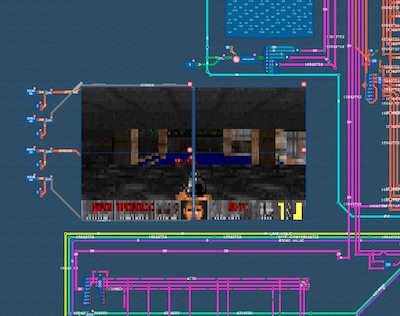
Doom runs on a custom 32-bit Bicep CPU built inside Turing Complete. The project extends the game's LEG architecture, adds a RISC-V to Bicep translator, and compiles EmDoom to run on the virtual processor, with real-time performance achievable through Verilog export.
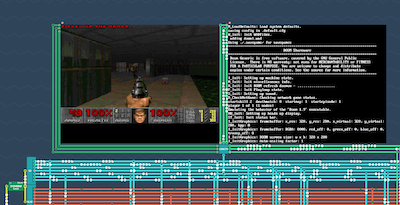
Doom runs on TCMIPS, a custom MIPS32 CPU and LLVM-based toolchain built entirely inside the game Turing Complete. The project demonstrates a complete software stack—from custom CPU and compiler to runtime—capable of running real C/C++ applications, including Doom, on a virtual processor.

A WarcraftXL module that plays Doom inside the running 3.3.5a client.
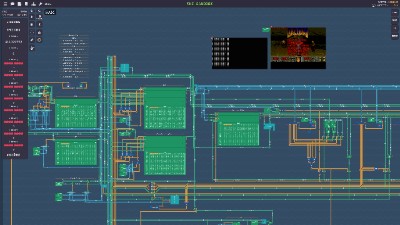
Turing complete is an education Game where you are led to build your own CPU step by step. After beating the Game I converted the LEG/Symphony CPU to 32-Bit and made it RISC-V compatible. I also added the M-Extension so it's officially an RV32IM CPU. I wrote a bootloader in assembly which reads one .ELF file from the "SSD" and loads it in the RAM. This meant I can compile and run C-Code on it. The next step was to make it run Doom. I used Doom Generic and added the necessary file where you can program your logic for keyboard inputs, what to do with the Screen Buffer and how timings and sleeps get handled. I also had to provide some standard C-Library functions for my architecture and I wrote an library for IO Stuff. In the end after a lot of trouble I got Doom compiling and running on the CPU. I used the save_breaker version btw.
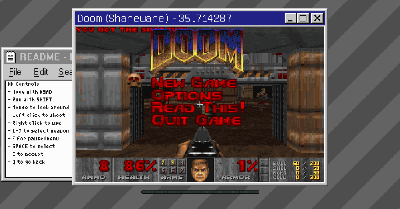
Doom on a modded Minecraft server. The display is rendered using Maps in item-frames. Based on mochadoom

Doom is running on the computer inside Minecraft. The screen uses retextured redstone dust and it takes about 23 seconds to render a single frame.